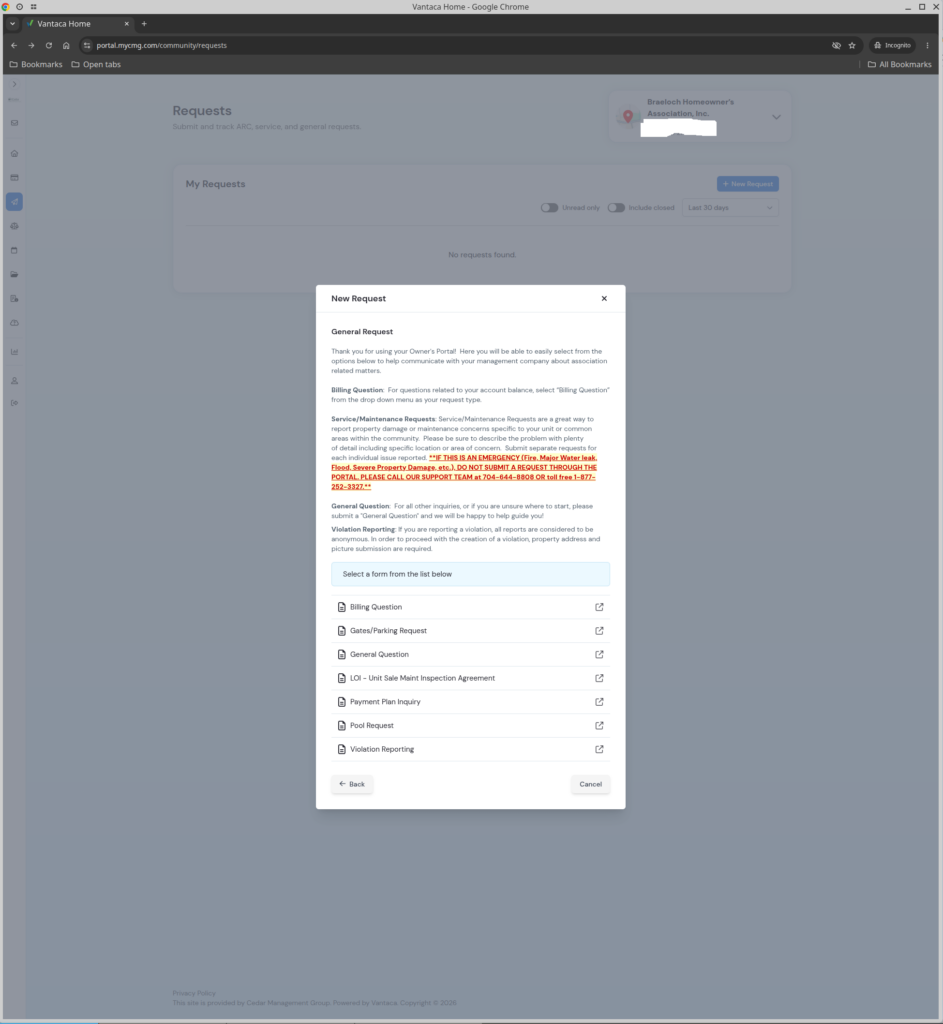
General requests are submitted via the Cedar Management web portal. General requests can be submitted to address:
- Billing questions
- General questions
- Letters of intent
- Payment plan inquiries
- Violation reporting
To submit a General Request, please follow these steps:
1. Log in to the Cedar Management web portal: https://portal.mycmg.com/public.
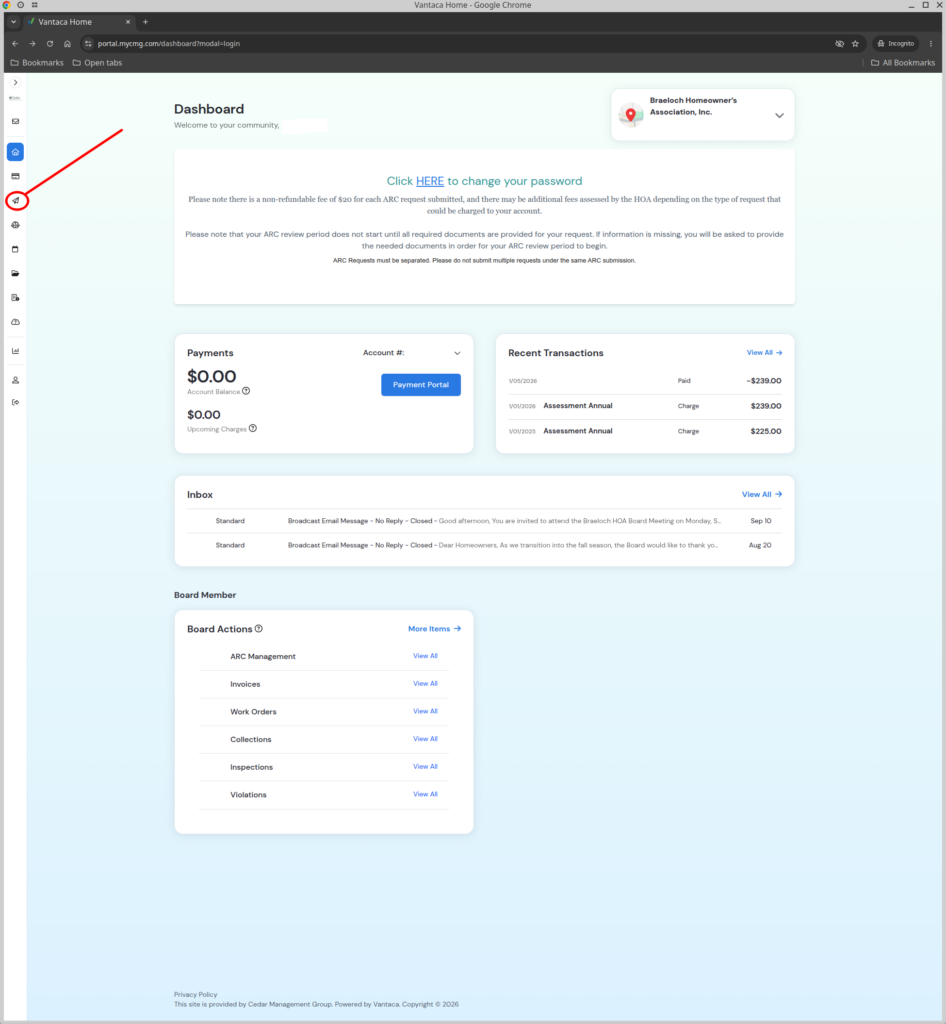
2. Select the Requests button (paper airplane icon).
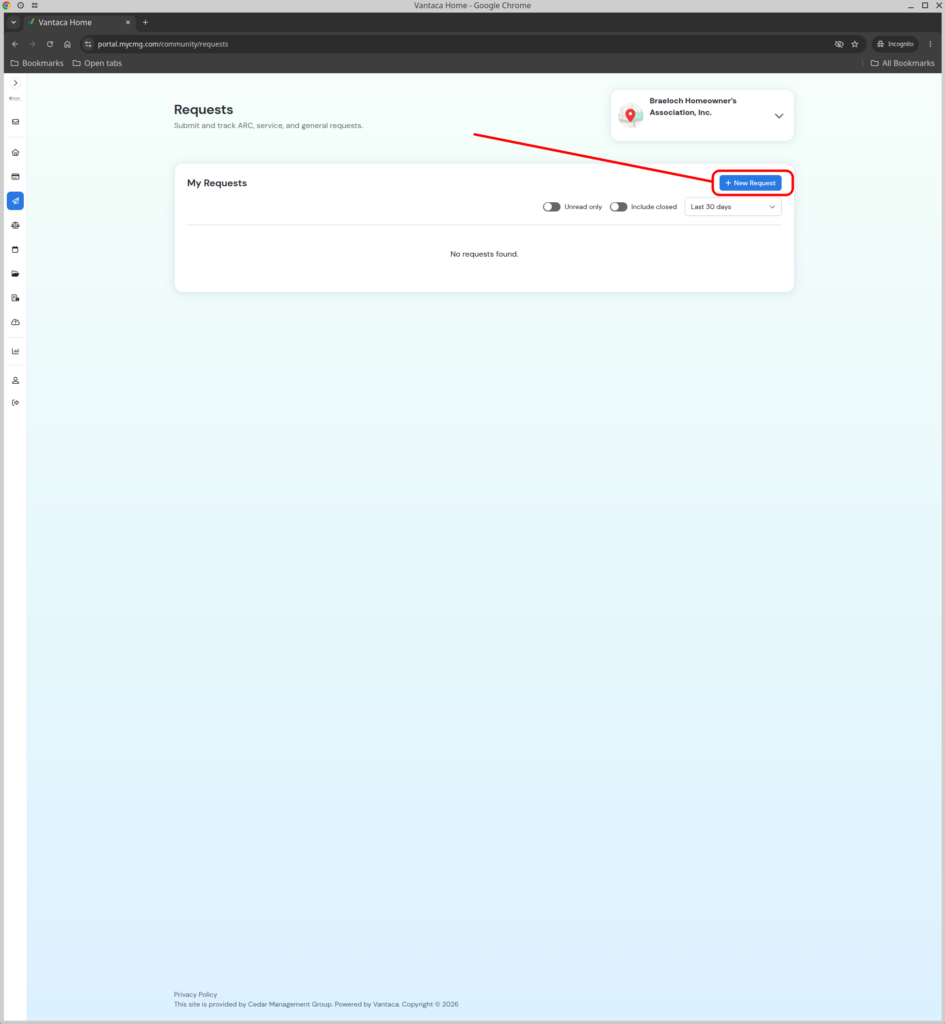
3. Select the New Request button.
4. Select the General Request button.
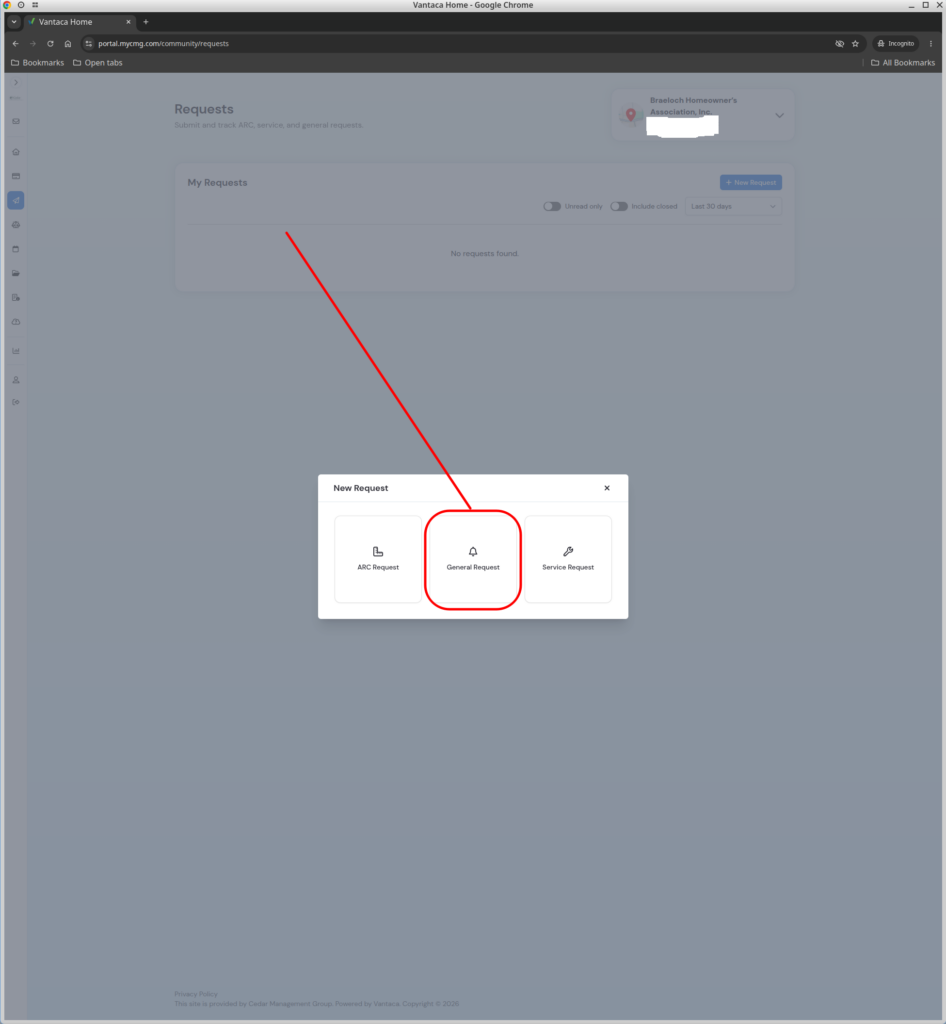
5. Select one of the buttons based on the general request being made, and fill out and submit the form.